
Academy365 turns the licence you've already bought into productivity you can actually see, without a single day in a classroom.
For Business Owners
Get the ROI you were promised from your Microsoft 365 spend.
For Ops & HR leads
Onboard new starters in days, not weeks, with zero extra admin.
For IT Managers
Fewer “how do I…” conversations. More self-sufficient users.
For Compliance Leads
Documented, trackable security awareness training.

Sound familiar? These are the three we hear most, and what Academy365 does about them.
Copilot, Planner, SharePoint, Whiteboard. Most of the value sits unopened until someone shows your team how to use it.
Free videos are inconsistent, out of date, and never built for your business. Our Academy365 content was created to solve your problems.
Three dedicated Security Awareness modules give your team the instincts to spot and stop attacks before they land.
Twenty-four on-demand courses. More than seven hundred individual video lessons. Five programme areas covering everything from a brand-new starter opening Outlook for the first time to a power user building a model-driven app in Dataverse.
Every course is bite-sized, browser-based and updated as Microsoft updates the products. Your team can pick up exactly the lesson they need, exactly when they need it.

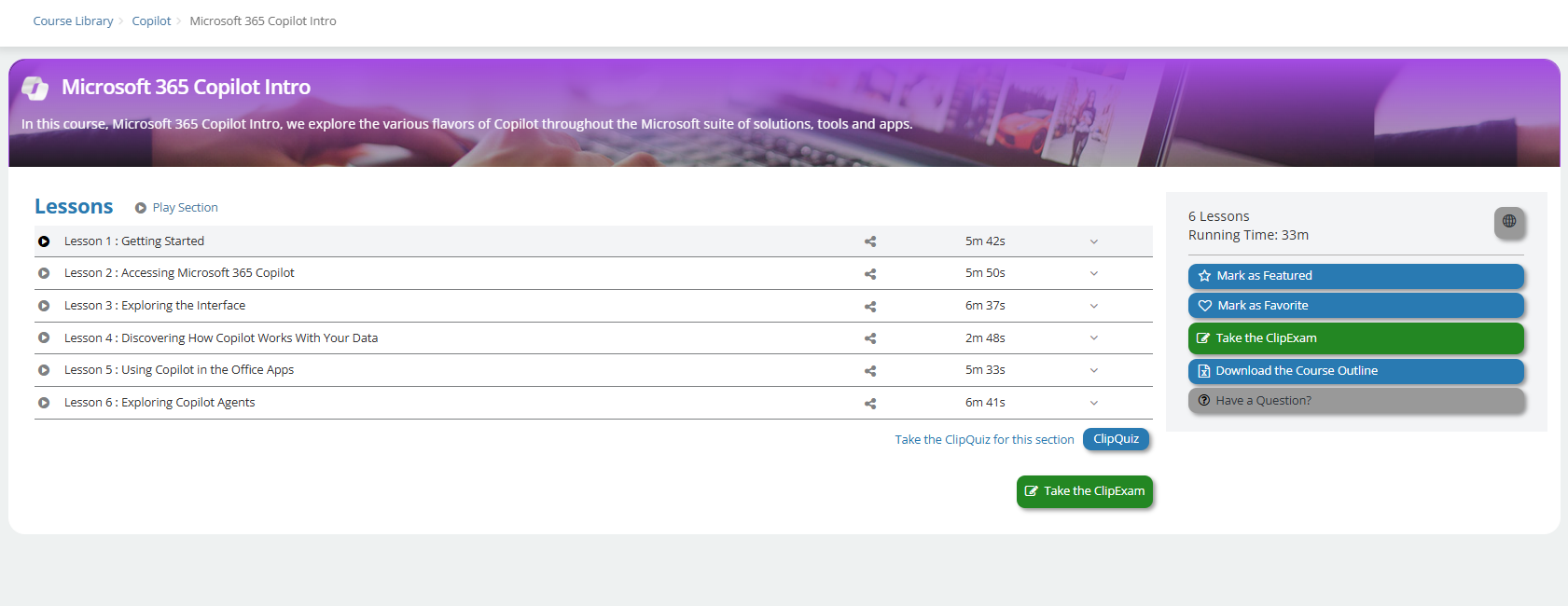
Copilot is the single biggest productivity unlock Microsoft has shipped in a decade – and the single most common reason teams call us saying “we paid for it, what now?” Academy365 gets your people fluent fast.
| Course | Lessons | Length | What You’ll Learn |
|---|---|---|---|
| The Fundamentals of Copilot | 9 | 25 | Get started with Microsoft’s generative-AI assistant – how to converse with Copilot and use it to find, create and design. |
| Copilot in Edge | 6 | 13 | Work with Microsoft Copilot directly inside the Edge browser. |
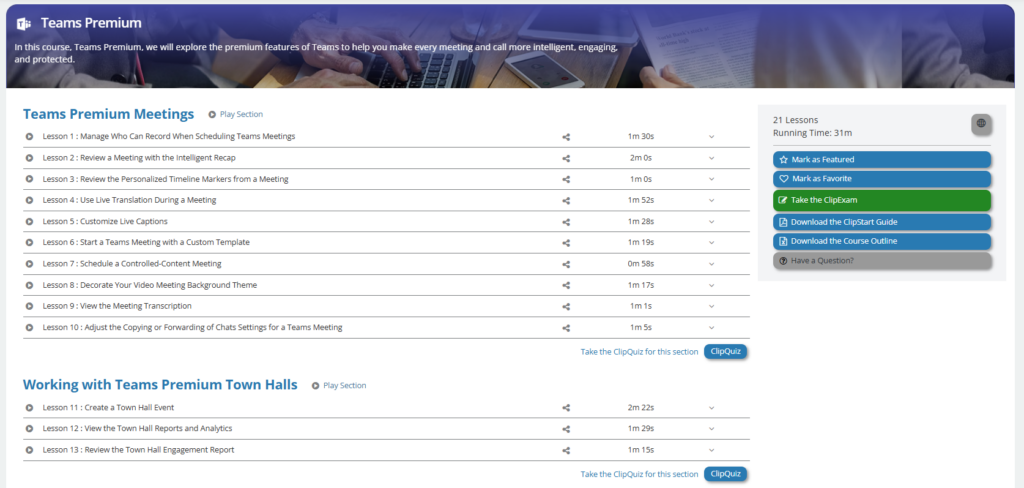
Teams is where the modern workday happens. Six courses cover navigation, channels, chat, meetings, notifications and the Copilot features now baked in.
| Course | Lessons | Length | What You’ll Learn |
|---|---|---|---|
| Accessing and Navigating Teams | 15 | 28 | Access and navigate the new Teams app, plus create, join and work with different Teams. |
| Utilising Teams Channels | 20 | 75 | Work confidently within Teams Channels – posts, files, tabs and best practice. |
| Mastering Teams Chat | 12 | 32 | Use Teams Chat, send files, give praise and master the full chat feature set. |
| Managing Your Teams Experience | 10 | 24 | Configure Status Messages and Notifications so Teams works for you. |
| Mastering Copilot and Apps | 8 | 25 | Use Copilot inside Teams alongside OneDrive and other connected apps. |
| Teams Meetings | 10 | 31 | Schedule, join and configure meetings – the essentials and beyond. |
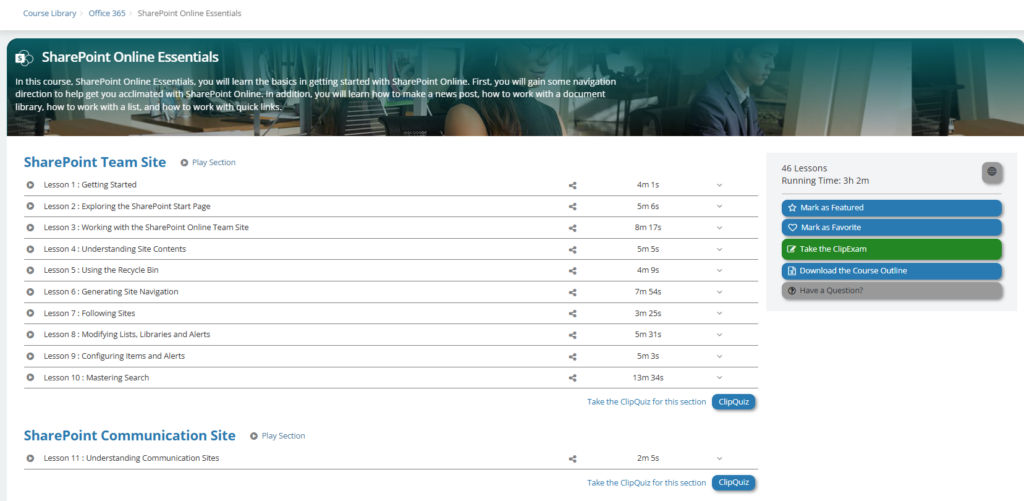
The browser-based side of Microsoft 365: SharePoint, OWA, Planner, Project for the Web, Whiteboard, Clipchamp, Viva Engage and a hands-on Power Apps build.
Clipchamp2462Use the M365 built-in video editor to produce polished, professional video content.Viva Engage2097Company-wide communication – posts, conversations and communities.
| Course | Lessons | Length | What You’ll Learn |
|---|---|---|---|
| SharePoint Online Essentials | 46 | 182 | Navigate SharePoint Online, post news, work with document libraries, lists and quick links. |
| Outlook (on the Web) | Mail | 25 | 73 | Send, organise and manage email in Outlook on the Web (OWA). |
| Model-Driven Power Apps | 10 | 42 | Build a model-driven (Dataverse) low-code app from scratch – forms, views, charts and dashboards. |
| Whiteboard | 11 | 68 | Create and share whiteboards – pens, shapes, Copilot, Loop components and more. |
| Planner | 33 | 155 | Organise teamwork with the unified Planner – to-dos, tasks, plans and projects, in Teams and standalone. |
| Project for the Web | 41 | 162 | The latest cloud-based Project – schedules, resources and timelines. |
Foundational, role-ready training across the apps your team uses every single day. Each Essentials course also prepares learners for the corresponding Microsoft Office certification exam.
| Course | Lessons | Length | What You’ll Learn |
|---|---|---|---|
| Word 365 Essentials | 62 | 322 | Foundational Word skills – interface, documents, text, tables, lists and graphics. Microsoft Office exam prep. |
| Excel 365 Essentials | 52 | 152 | Foundational Excel – Ribbon, worksheets, cells, formatting and Auto options. Microsoft Office exam prep. |
| PowerPoint 365 Essentials | 46 | 197 | Build professional presentations – slides, text, pictures and presentation delivery. Microsoft Office exam prep. |
| Outlook 365 Essentials | 64 | 196 | Email in a business setting – messages, calendar, meetings, tasks and notes. Microsoft Office exam prep. |
| OneNote 365 | 25 | 73 | Create, manage and share online notebooks; format, find and insert content. |
| Access 365 Essentials | 38 | 97 | Basic database development – tables, records, filters, forms, queries and reporting. |
| Visio 365 Essentials | 12 | 64 | Visual diagrams – templates, stencils and shapes for clear business communication. |
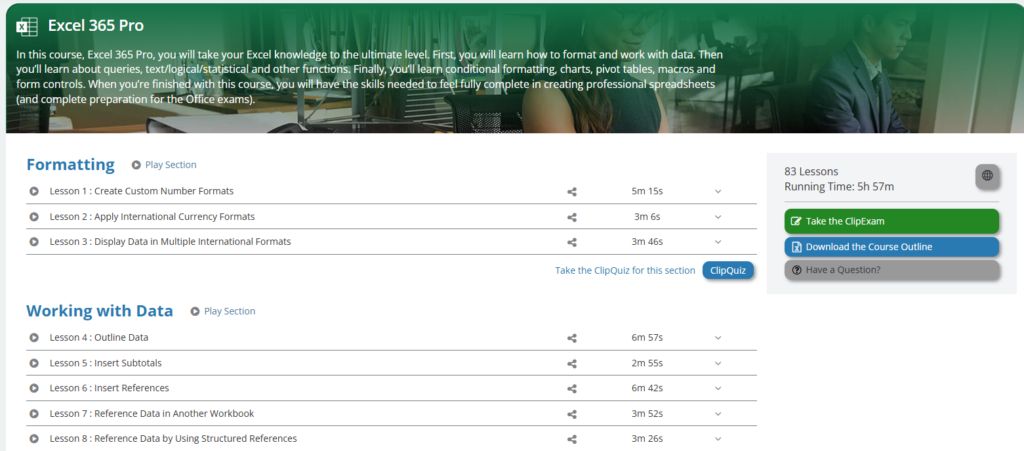
The single most cost-effective security investment you can make is training the humans. Three modules cover end-user awareness, fundamentals and real-world threat scenarios.
| Course | Lessons | Length | What You’ll Learn |
|---|---|---|---|
| Holistic Security for End-Users | 12 | 76 | Security awareness from multiple angles – definition, lecture and practical response steps for home, office and travel. |
| Awareness Fundamentals | 12 | 53 | The basics of end-user security awareness and being proactive at home, at work and on the road. |
| Imagine This | 21 | 28 | Threat scenarios and a clear course of action so your team is prepared, not panicked. |
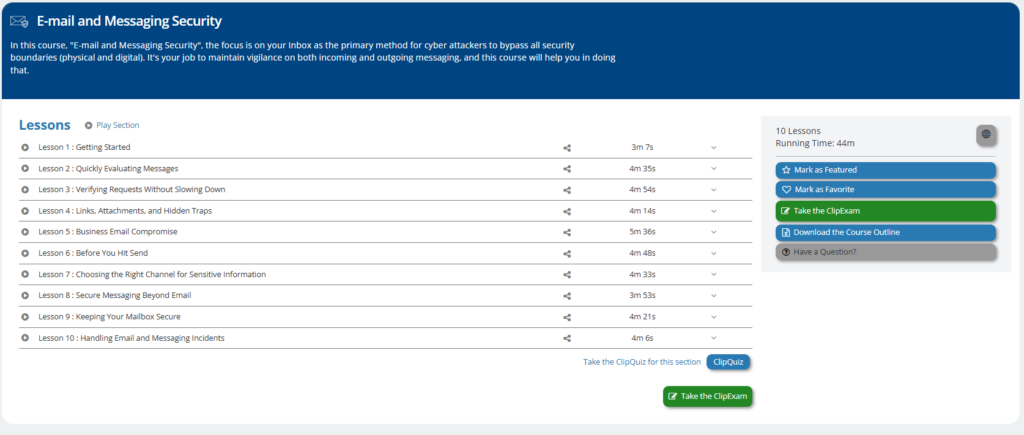
Academy365 is the on-demand training programme from IT Support 365. It’s a curated library of video courses covering Microsoft Copilot, Microsoft Teams, Office 365, Microsoft 365 desktop apps, Windows 11 and end-user security awareness – designed for growing businesses that want to get the full value out of their Microsoft subscriptions.
Twenty-seven on-demand courses across six programme areas, with more than seven hundred individual video lessons in total. Every learner gets access to the full library – not a fixed set of modules.
Academy365 is built for SMBs, growing businesses and IT-managed customers of IT Support 365. It’s suitable for end users, power users, new starters and managers – from someone opening Outlook for the first time to a colleague building a model-driven Power Apps solution.
Yes. Academy365 includes two dedicated Copilot courses – The Fundamentals of Copilot and Copilot in Edge – plus Copilot-specific lessons embedded inside the Teams and Whiteboard courses, so your team learns Copilot in the context of the tools they already use.
Academy365 is self-paced and on-demand. Learners log in from any browser, pick the lesson they need and learn in short, focused video segments. There’s nothing to install and no fixed class times – which makes it ideal for hybrid and shift-based teams.
Yes. Each Microsoft 365 “Essentials” course (Word, Excel, PowerPoint, Outlook, Access) is built to prepare learners for the corresponding Microsoft Office certification exam, in addition to building day-to-day workplace skill.
Through three dedicated modules: Holistic Security for End-Users, Awareness Fundamentals and Imagine This. Together they take your team from “what is phishing?” to confident threat-scenario response – the practical, day-to-day cyber hygiene every business needs.
Pricing is per learner, per month, with volume discounts for larger teams. Because we tailor packages to your existing Microsoft licensing and headcount, exact pricing is shared on a short discovery call – typically fifteen minutes.
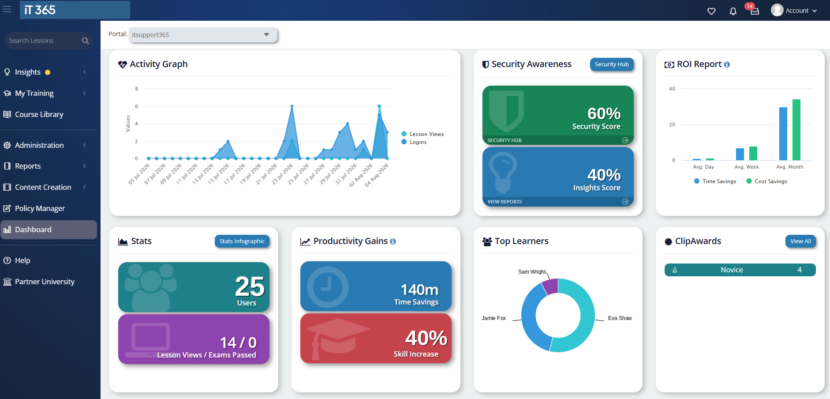
Yes. Managers can see progress and completion across their team, which is especially useful for onboarding new starters and for compliance evidence around security awareness training.
Book a fifteen-minute discovery call with IT Support 365. We’ll learn what your team uses today, where the gaps are, and exactly how Academy365 fits into your stack – with no obligation to proceed.
Your Microsoft 365 subscription is one of the biggest tools your team uses every day. Make sure they actually know how to use it. Academy365 turns that subscription into measurable productivity – starting with a fifteen-minute conversation.